
Download CCM Quantum
Use the CCM download page and save the current Windows installer somewhere you can find it.
Older installer · Quantum 2.0.23 · no longer supported
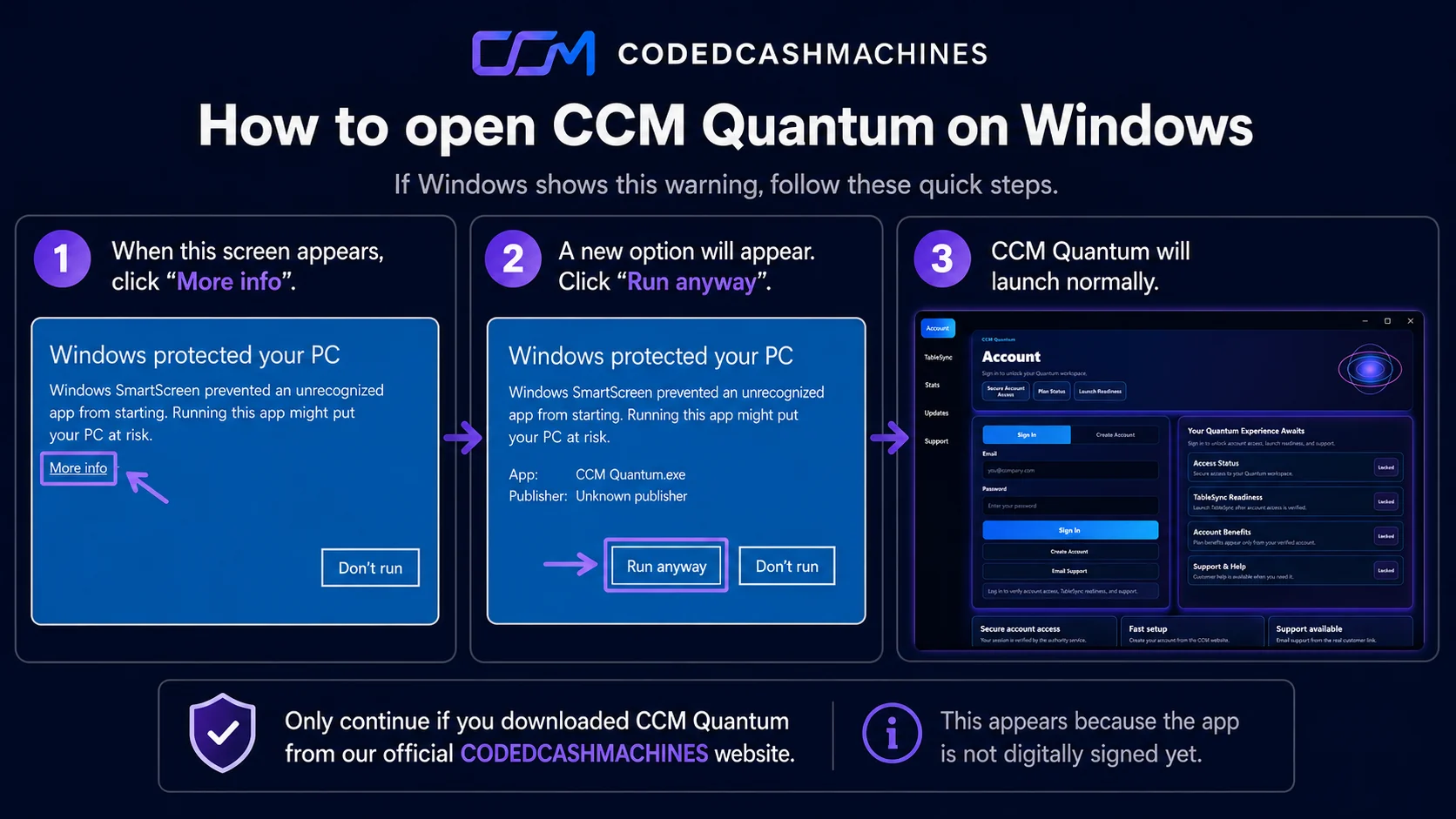
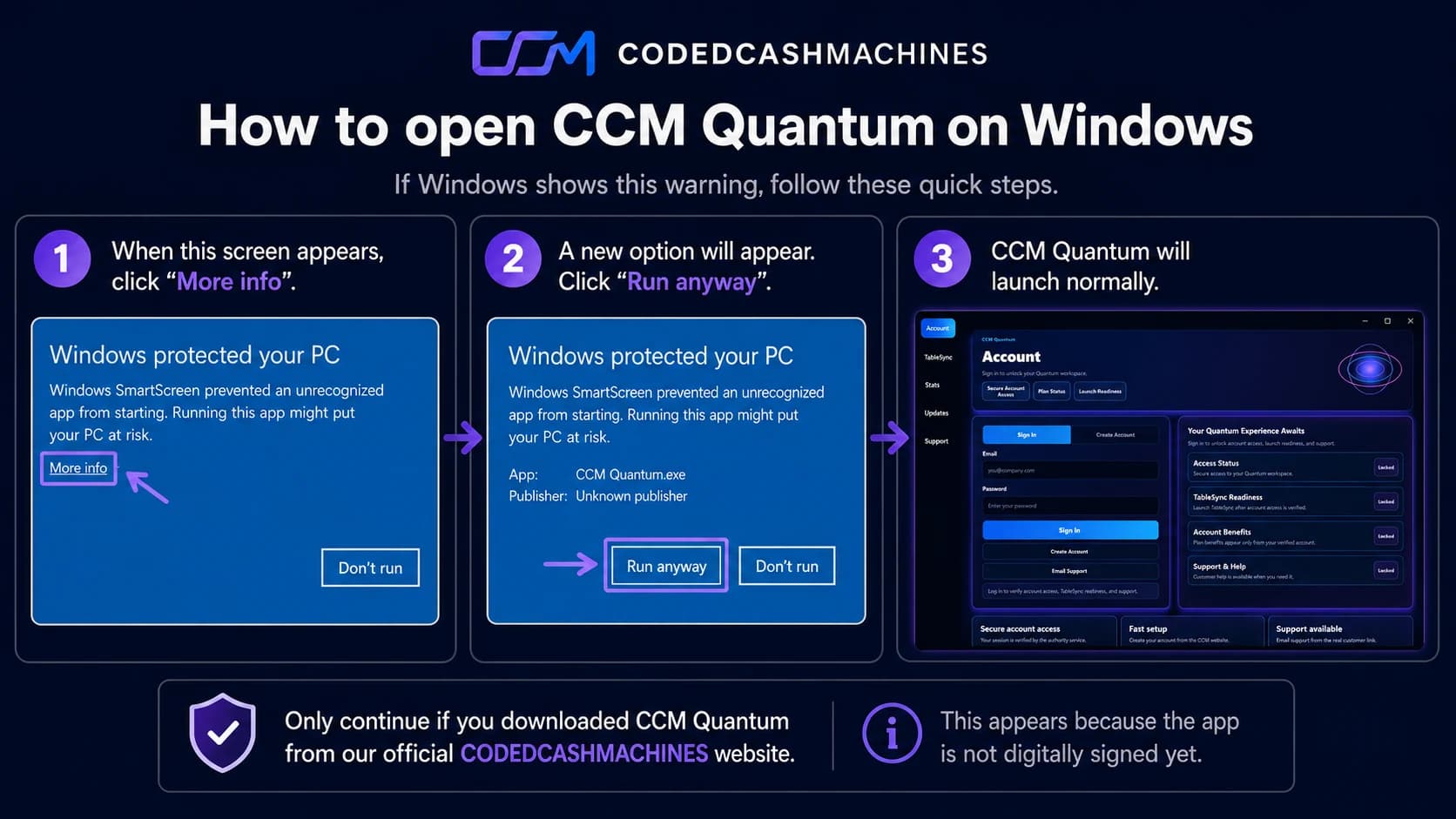
Verify the file first, keep SmartScreen and antivirus enabled, then follow the normal Windows setup flow. The current installer is unsigned, so an unknown-publisher message can appear.
No longer supported
The Windows desktop app and the separate CCM Quantum app are no longer supported. Their features now live inside TableSync in your browser. Your account, plan and entitlements have not changed. This page stays online as a record for customers who still hold an older installer.
Use the CCM download page and save the current Windows installer somewhere you can find it.
Compare the filename, exact byte size and SHA-256 before you open the installer.
Double-click the verified file. Read any Windows SmartScreen or security message that appears.
The current installer is unsigned, so Windows cannot show a verified publisher identity. Keep SmartScreen enabled.
Follow the installer prompts, then open CCM Quantum from the Start menu or desktop shortcut.
Use your CCM account to view product access and launch TableSync when your annual access is active.
Why Windows may warn you
That is a limitation of the current release, not a reason to turn security off. The practical check available today is to download from CCM and compare the published file details before you continue.
Installation problem?
A redacted screenshot can help. Remove names, email addresses, account details, payment information and any private tokens before sending it.