
What changes if you look at 50 results instead of 250?
Move between the recorded windows available to the session and see the summaries recalculate around that selection.
TableSync Pro Stats
Stats is the TableSync Pro product view for recorded session history. Change the history window, compare frequency and gaps, then open one number in Number Inspector. For the public Immersive Roulette feed and current result history, open Live Results. Nothing here predicts what happens next.
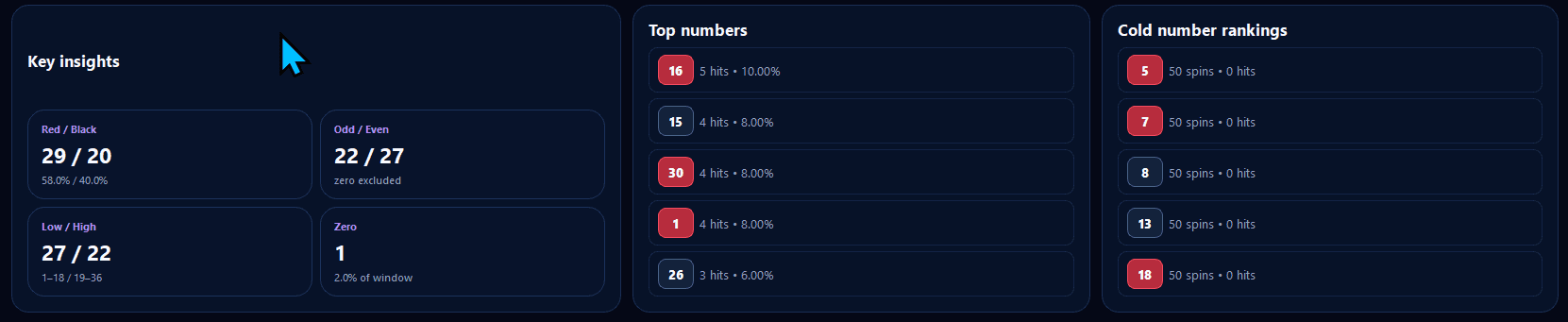
Move between the recorded windows available to the session and see the summaries recalculate around that selection.
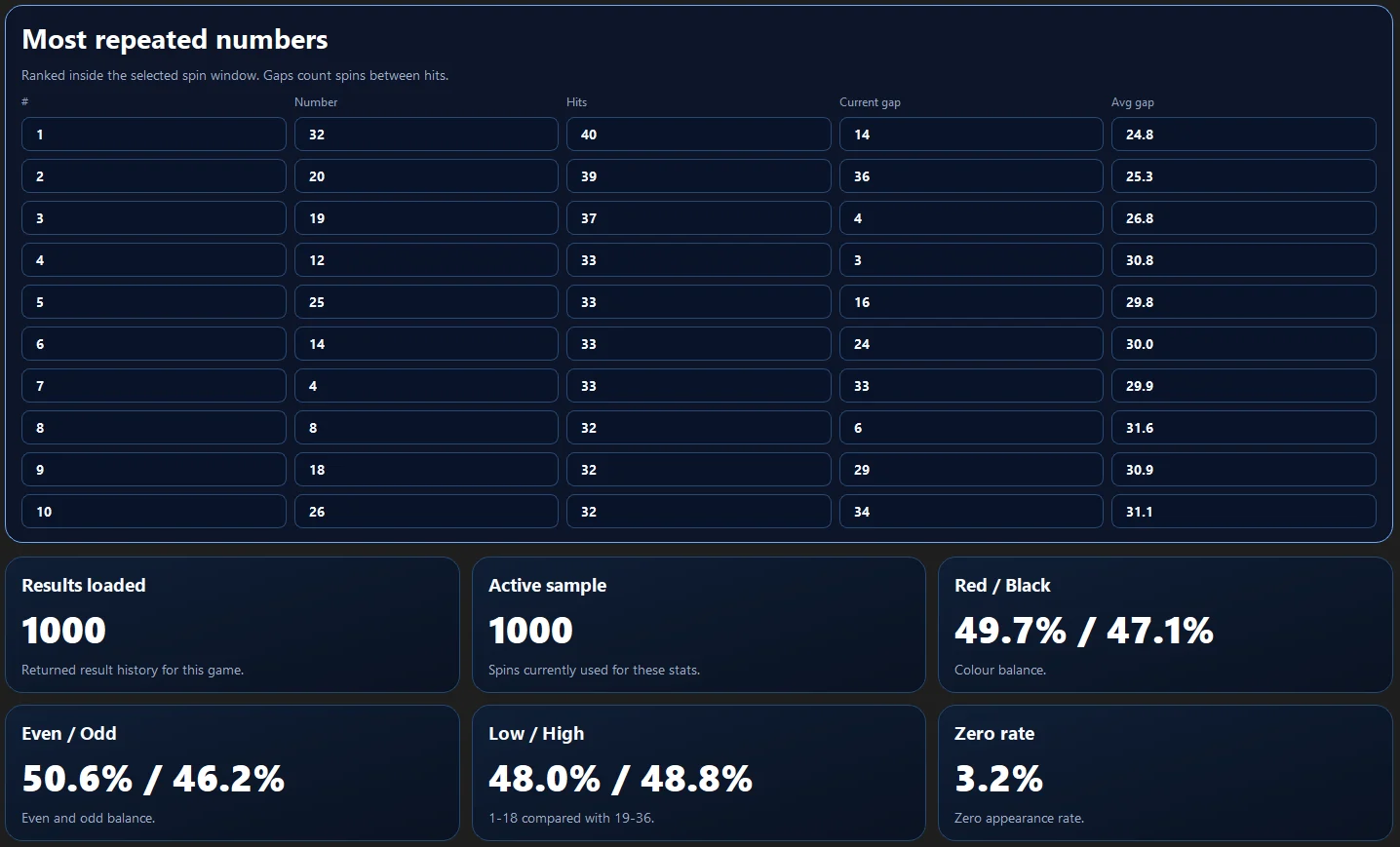
Keep the wheel numbers in a consistent visual order so hit counts and gaps are easier to compare without mental tallying.
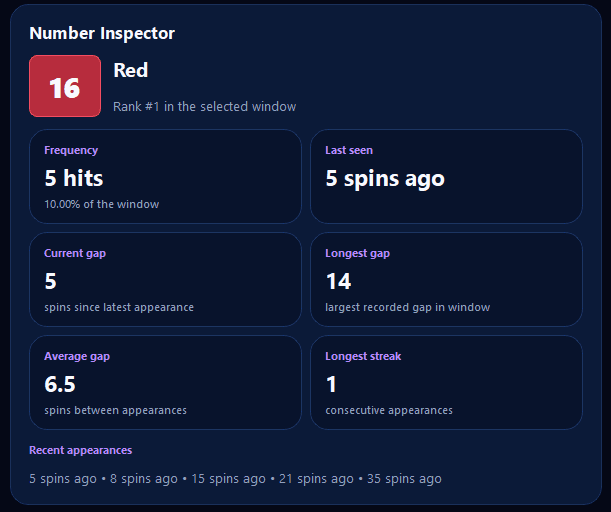
Open the recorded detail for a single number while keeping the wider history close enough to preserve context.
Key Insights
A number can appear often in one sample and less often in another. Stats is designed to make that change visible rather than turn a short-term ranking into a forecast.
Number Inspector
Number Inspector brings appearances, gaps and category detail into one focused view. It is useful for reviewing what the recorded history contains; it does not assign a future probability beyond the underlying roulette game.
Recorded history, clearly presented
The product page shows the complete workflow; the guide explains why previous spins do not predict the next one.