
The session lives in too many places.
- Rebuilding the same virtual layout from memory
- Keeping practice notes away from the board
- Losing the reason behind a session idea
- Finishing without a clear session record
TableSync Universal
TableSync runs in your web browser and keeps Immersive Roulette results beside a virtual practice session. Your chips and balance stay virtual, while Custom Bets, notes and review tools keep the experiment organised. It does not place real-money bets or predict roulette outcomes.
No card · No automatic renewal · Standard £89 / year · Pro £149 / year · Runs in your browser
New CCM trial enrolment is being prepared. Account verification alone does not start a product trial. Prefer an invitation by email? Request a trial invitation.
Practice only
For adults of legal gambling age only. TableSync is virtual practice software. It does not offer or promote real-money gambling and does not provide prizes or anything of real-world value.
Practice · save · track · review
TableSync keeps the virtual board, saved layouts, session tracking, notes and recorded-history review connected without controlling a casino or placing a real-money bet.
Build once
Track the session
Review recorded history
Less pen and paper
Save layouts, keep the table visible and preserve session context instead of rebuilding the same practice routine across notes and screenshots.
For the organiser
For the visual thinker
For the reviewer
Explore the workflow
The Play workspace
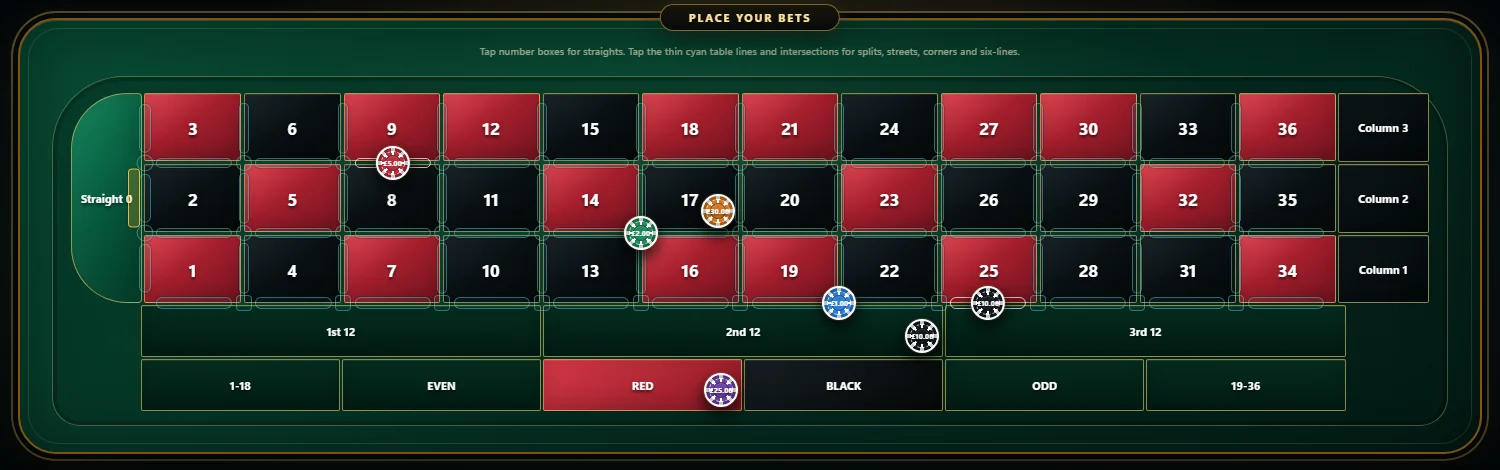
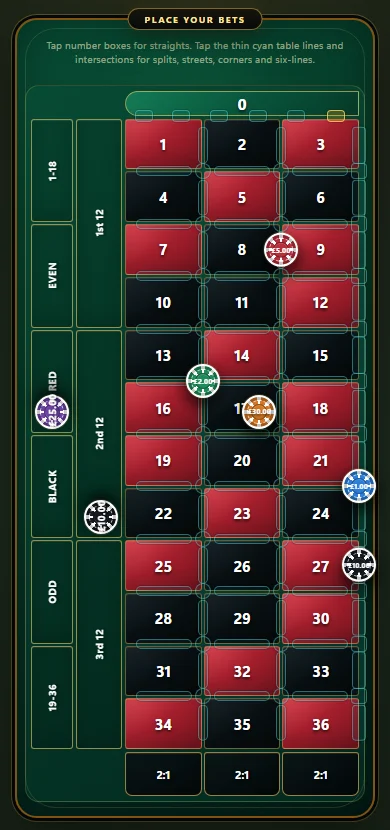
Choose a virtual balance, select a chip and build your layout on a responsive European single-zero table. The controls you need stay visible while the session develops.
Custom Bets
Pick a curated plan or build your own, check the exact board preview, then save it to your library. Duplicate useful plans and make variations without starting again.
Descriptive analytics
Compare history windows, inspect number activity and review distributions without pretending recorded history predicts the next spin.
Sessions and export
Sessions keeps the history of each practice session on your account. Open one to read the settled spins, add a note, step through playback or export a CSV for your own records.
One account, any screen
Your saved Custom Bets and session history belong to your account, so they are there when you sign in on another device. Built for current desktop browsers, with phone and tablet layouts. Wider device testing is still in progress.
Standard or Pro
Both plans include the core TableSync workflow. Pro adds the 0–36 Stats wall, Number Inspector, larger history windows and Strategy Lab.
The complete practice workspace
Advanced Stats and Strategy Lab
Everything in one place
Questions before you choose
These are the practical questions a buyer should be able to answer before opening the pricing page.
TableSync is browser-based roulette practice software focused on virtual practice, repeatable layouts, Custom Bets, Auto Mode, session history and review. It does not place real-money bets or predict future roulette outcomes.
Yes, for the TableSync practice workflow. It keeps the virtual balance, placements, recent recorded results, notes and session actions together so a completed practice run is easier to review. It is not a casino account tracker and does not place real-money bets.
It brings the European practice board, saved Custom Bets, session controls, recent results, notes and export into one browser workspace. It is designed to reduce the need for separate notes and repeated manual rebuilding.
No. TableSync uses virtual chips and a virtual balance. It does not click casino controls, move the cursor or automatically place a real-money wager.
No. Its statistics are descriptive. They help you review recorded results and session history, but they do not promise or predict the next outcome.
Standard includes the core practice workspace, European board, Custom Bets and session tools. Pro adds Stats with the 0–36 results wall, the Number Inspector, larger history windows and Strategy Lab.
TableSync is a web application. Open it in a current desktop browser, or use the portrait layout on a phone or tablet. Nothing is installed. The Windows desktop app and the separate CCM Quantum app are no longer supported; their features are part of TableSync.
The current customer-facing product boundary is Immersive Roulette with a European single-zero practice board.
Continue from the product tour
Standard covers the core virtual practice workspace. Pro adds the deeper recorded-history tools and Strategy Lab.