
Begin with one goal
The main idea is to note the purpose, chip values and the change you want to observe. Keep the first attempt small enough that you can explain what every click or number means.
You do not need a complicated system to learn this part of the product. Start from a known point, make one deliberate change and give yourself time to see the result.
Work through the steps
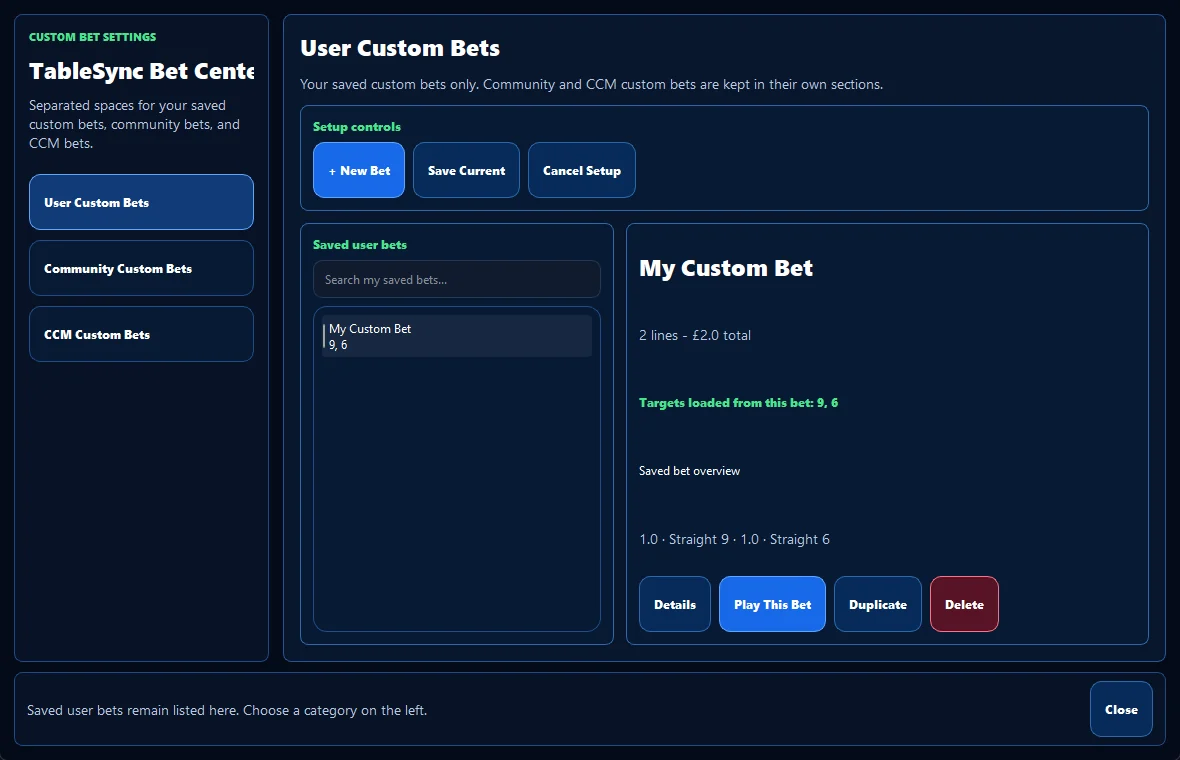
Build the layout, check every chip, then save it with a name that explains the purpose. A useful saved layout should make sense even after you have not seen it for a week.
For what to record about a saved roulette layout, use a short practice run and repeat the same opening steps. Repetition makes the controls easier to remember and makes later comparison more honest.
Read the screen carefully
Look for duplicate names, mixed chip values and small changes that are easy to forget. One clear version is better than several nearly identical copies.
If the screen no longer matches the session you intended to run, pause and reset. A clean restart is usually more valuable than trying to rescue a muddled practice run.
Avoid the usual trap
Saving too early can preserve an unfinished or confusing layout. Check the board first, then save the version you would genuinely use again.
Keep the language factual. Describe the placement, balance, selected history or product state you can see instead of turning it into a claim about a future random result.
Turn it into a repeatable habit
Custom Bets turns a checked virtual layout into a reusable practice tool that can be reopened in seconds.
Use this idea to note the purpose, chip values and the change you want to observe, then finish with one sentence about what you would keep or change next time. That small review is what turns a click-through into useful practice.
TableSync helps you practise the workflow and review recorded information. It does not change roulette odds, place real bets or make the next random result certain.